
Languages
Multilingual Document
English and Arabic content in one document with explicit language switching.
- Engine
- XeLaTeX
- Level
- Intermediate
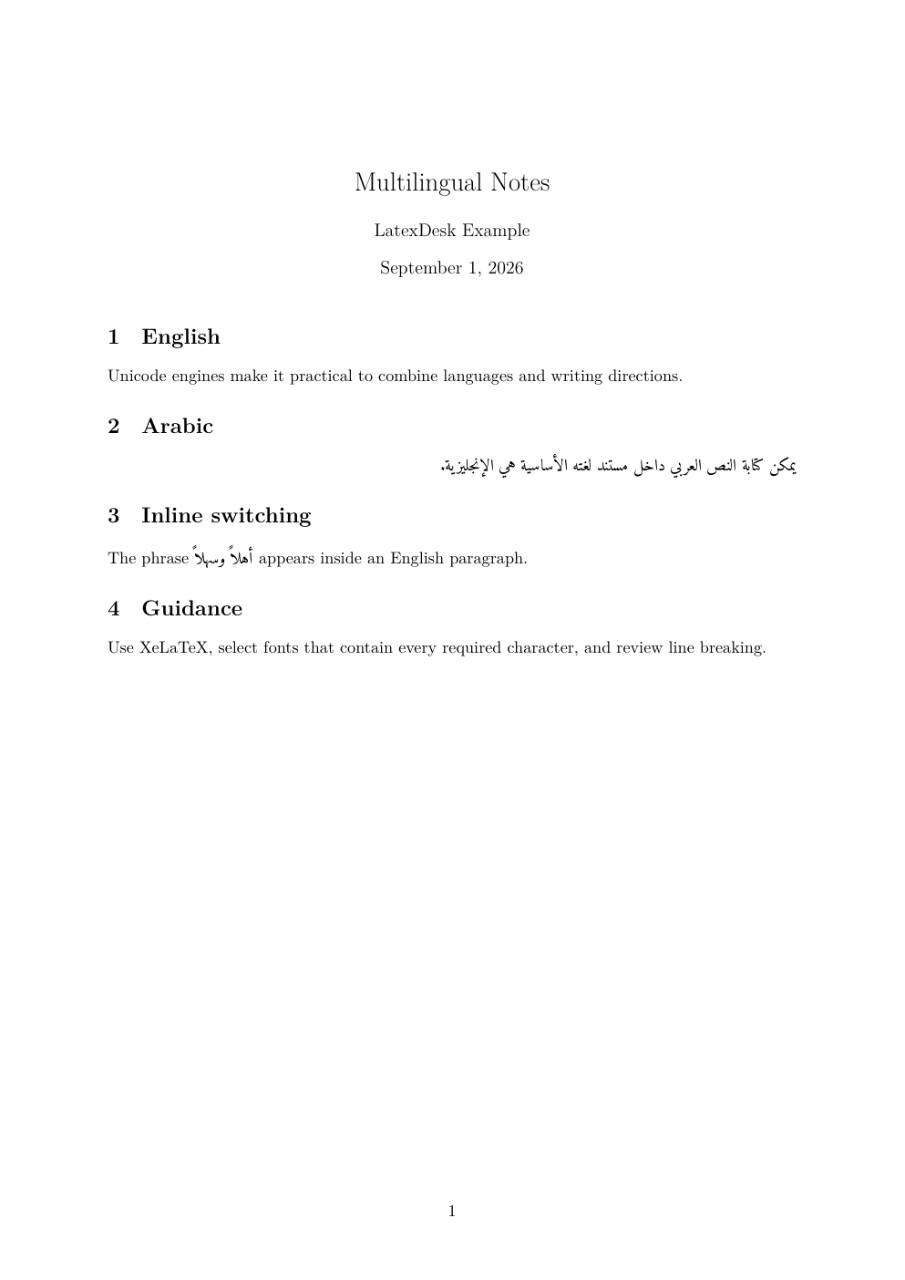
Use this example
- Create a project and copy the source below into main.tex.
- Select XeLaTeX as the LaTeX engine.
- Compile, review the PDF, and adapt the content.
LaTeX source
main.tex\documentclass[11pt]{article}
\usepackage[a4paper,margin=2.5cm]{geometry}
\usepackage{fontspec}
\usepackage{polyglossia}
\setdefaultlanguage{english}
\setotherlanguage{arabic}
\newfontfamily\arabicfont[Script=Arabic]{Amiri}
\title{Multilingual Notes}
\author{LatexDesk Example}
\begin{document}
\maketitle
\section{English}
Unicode engines make it practical to combine languages and writing directions.
\section{Arabic}
\begin{Arabic}
يمكن كتابة النص العربي داخل مستند لغته الأساسية هي الإنجليزية.
\end{Arabic}
\section{Inline switching}
The phrase \textarabic{أهلاً وسهلاً} appears inside an English paragraph.
\section{Guidance}
Use XeLaTeX, select fonts that contain every required character, and review line breaking.
\end{document}