
Documents
Certificate
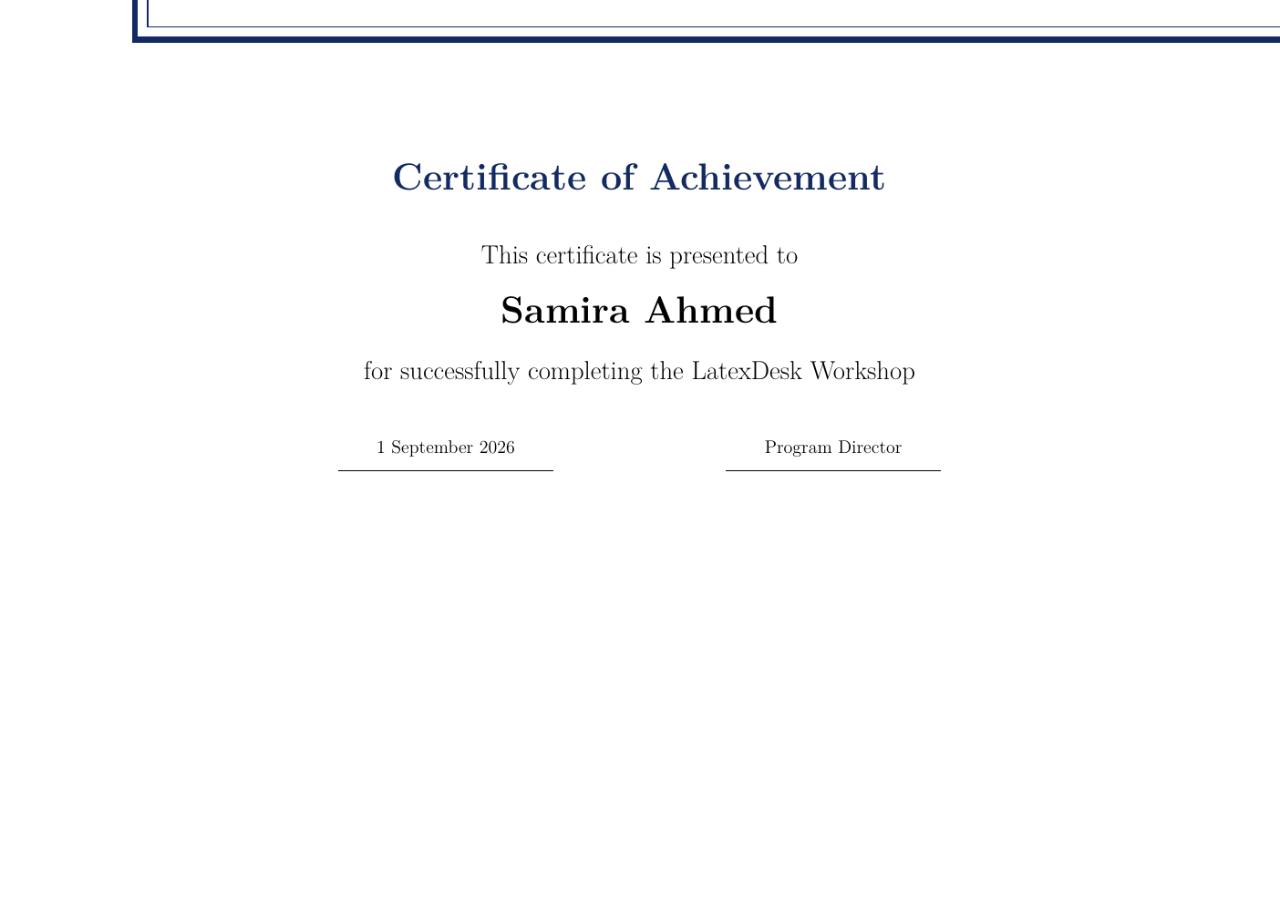
A landscape certificate with decorative border, recipient name, and signature lines.
- Engine
- XeLaTeX
- Level
- Beginner
Use this example
- Create a project and copy the source below into main.tex.
- Select XeLaTeX as the LaTeX engine.
- Compile, review the PDF, and adapt the content.
LaTeX source
main.tex\documentclass[12pt,landscape]{article}
\usepackage[a4paper,margin=1.5cm]{geometry}
\usepackage{fontspec}
\usepackage{xcolor,tikz}
\pagestyle{empty}
\definecolor{navy}{HTML}{132B62}
\begin{document}
\begin{tikzpicture}[remember picture,overlay]
\draw[navy,line width=4pt] ([xshift=1cm,yshift=-1cm]current page.north west)
rectangle ([xshift=-1cm,yshift=1cm]current page.south east);
\draw[navy,line width=1pt] ([xshift=1.3cm,yshift=-1.3cm]current page.north west)
rectangle ([xshift=-1.3cm,yshift=1.3cm]current page.south east);
\end{tikzpicture}
\begin{center}
\vspace*{1.5cm}
{\Huge\bfseries\color{navy} Certificate of Achievement}\\[1.2cm]
{\Large This certificate is presented to}\\[6mm]
{\huge\bfseries Samira Ahmed}\\[8mm]
{\Large for successfully completing the LatexDesk Workshop}\\[1.2cm]
\begin{tabular}{c@{\hspace{4cm}}c}
1 September 2026 & Program Director\\[-1mm]
\rule{5cm}{0.4pt} & \rule{5cm}{0.4pt}
\end{tabular}
\end{center}
\end{document}